What is Conversion Rate Optimization for a Dental Practice?
Dental Conversion Rate Optimization, or CRO, is mainly a systematic and data-driven process of improving your website so that a higher percentage of visitors can book an appointment or even ask for a consultation. For instance, the primary goal is to increase patient conversions without spending more on advertising.
All this doesn’t happen on guesswork. Rather, CRO strategies are planned based on real data and user behavior. Mainly, SEO professionals identify and remove obstacles that prevent visitors from taking any action on your website.
The plan covers every stage of their user journey. This starts from headlines, call-to-action buttons, page layouts, forms, and landing pages.
Even every layer of the website is tested through specific testing processes, often A/B testing, to determine which version generates more appointments.
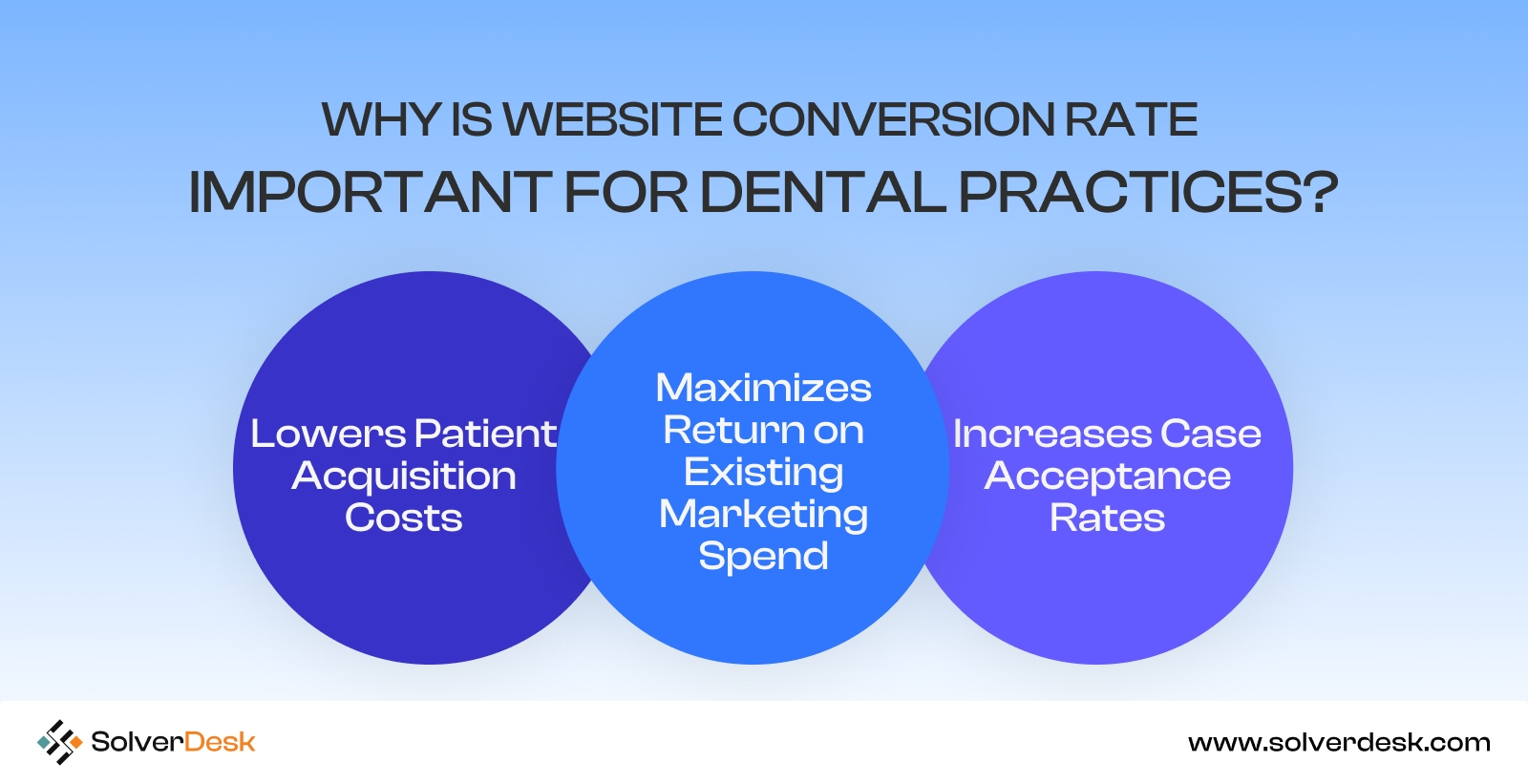
Why Is Website Conversion Rate Important for Dental Practices?
Conversion rate is such an important metric that measures how effectively your website turns prospective patients into actual appointments.
1. Lowers Patient Acquisition Costs
By just improving the conversion rate, you can easily acquire more patients without even needing to stretch your budget. Without paying for additional clicks, you generate more appointments from the traffic you already have.
This lowers your patient acquisition cost (PAC) and improves the return on investment (ROI) from channels like Google Ads and local SEO.
2. Maximizes Return on Existing Marketing Spend
No matter how strong you’re investing in Google Ads, local SEO, social media advertising, or email marketing, CRO helps every marketing channel perform better. In this instance, you are not likely purchasing more traffic.
Instead, you increase the percentage of visitors who become patients. Here, even a modest improvement in conversion rate can ensure significant revenue growth.
3. Increases Case Acceptance Rates
Visitors who convert through a well-optimized website often arrive better informed at your practice. They have already reviewed your credentials, treatment information, patient testimonials, and before-and-after results before scheduling an appointment.
In this instance, these patients are generally more likely to accept recommended treatment plans. You also improve review growth.
How to Improve Website Conversion Rate for Dental Clinics
1. Mobile Optimization
Reports say that around 57% of local searches now come from mobile devices. Even more interesting than that is that 44% of patients who research healthcare providers on mobile go on to schedule an appointment.
If your website has a slow Largest Contentful Paint (LCP) or an unresponsive layout, no doubt many patients will leave within seconds.
A notable part is that Google now prioritizes mobile-first indexing, where it evaluates the mobile experience of a site among users.
So the only solution is a fully responsive website rather than a simplified version. For instance,
- Compress large images and enable lazy loading.
- Optimize your site to meet Google’s Core Web Vitals, including an LCP below 2.5 seconds and minimal Cumulative Layout Shift (CLS).
- Another effective trick is placing your click-to-call button and appointment booking CTA within the natural thumb zone, so visitors can take action quickly.
- Moreover, don’t miss reviewing your site regularly with Google Search Console and PageSpeed Insights, so you don’t miss any critical loading issues.
2. Optimized Landing Pages
Next, you have to focus on the landing pages of your website. They should be highly converting and mostly built around one specific patient intent.
This is like when a patient is searching for a nearby service, which means you have to create dedicated landing pages for your most valuable services. It’s not even the end here. You have to optimize your landing pages with specific value-driven things such as:
- Add a clear headline for each landing page.
- Optimize it with service details, patient reviews, certifications, and before-and-after results.
- Add one strong CTA like “Book Your Consultation” that drives visitors to a clear booking path.
- Include strong trust signals such as dentist credentials, treatment results, financing options, and accepted insurance details.
- Avoid directing visitors from Google Ads, Google Business Profile, or local SEO campaigns to a generic homepage.
- Lastly, ensure conversion rate optimization or CRO methods like A/B testing, heatmaps, and user behavior analytics. This way, you can easily identify issues and improve appointment completion rates.
3. Above-the-Fold Optimization
Above the fold is all about the first and foremost section visitors see when they land on your dental website.
Don’t think the fact stops there.
Do you know 80% of visitors never scroll past the first screen?
So you have seconds in hand to convince your visitors with strong impressions and encourage conversions.
You will likely see that many dental websites just waste the space with messages like “Welcome to Our Practice” and a stock image. Though they offer professionalism, they don’t answer the questions patients care about most, like:
- Can this dentist solve my problem?
- Why should I trust them?
- What should I do next?
So this section should be based on where your visitors are coming from. We suggest adding trust-building elements in this section, such as:
- Real team photos
- Dentist credentials
- Years of experience
- Patient reviews
- Awards
- Clear treatment outcomes
Also, pair your headline with a visible appointment booking CTA.
Note:
Don’t make the mistake of adding sliders, excessive animations, or multiple competing offers. It will just increase cognitive load and delay decisions. Focus on maintaining a strong visual hierarchy that drives the reader’s attention to trust signals and the final booking.
4. Fast Loading Speed
Most website owners assume that speed is just the loading time, meaning just optimizing the images or not using animations and all.
But things are actually far beyond that. In March 2024, Google replaced First Input Delay (FID) with Interaction to Next Paint (INP) as a Core Web Vitals metric. Let’s break down the terms for your understanding:
- FID means First Input Delay, which refers to how long it took for a page to respond to a user’s first interaction. This includes clicking a button, tapping a link, or pressing a key.
- INP means Interaction to Next Paint. This refers to how quickly a page responds to all user interactions throughout the visit.
As per Google, INP offers a more accurate measure of how responsive a website feels, especially when a user closely goes through it.
In one word, you have to optimize the speed at every layer of your website. Some helpful suggestions would be:
- Compress and properly size images.
- Enable lazy loading.
- Minify CSS and JavaScript files.
- Reduce unnecessary third-party scripts.
- Use browser caching.
- Optimize content through a Content Delivery Network (CDN).
- Choose fast, reliable hosting.
- Eliminate chat widgets and tracking scripts that increase page weight.
5. Easy Navigation Structure
One thing most dental website owners misunderstand is that patients visit dental websites to solve a problem.
So they just make a crowded site with all unnecessary elements. But that’s not true. They come with a specific goal, such as finding a treatment, checking insurance, or booking an appointment.
So if there is a single confusing navigation menu there, it actually interrupts that journey and increases user abandonment. According to Hick’s Law, the more choices people have, the longer it takes them to make a decision.
So the overloaded menu or navigation is clear: NO. What should you do instead?
Keep your main navigation simple. For this, limit it to six or seven primary menu items. The best way is to organize treatments into clear categories, such as:
- Cosmetic Dentistry
- Restorative Dentistry
- General Dentistry
- Emergency Dental Care
This way, patients can quickly locate the service they need.
Also, avoid less important pages such as privacy policies, careers, or resource pages. Just put them in the footer.
Moreover, use patient-friendly labels rather than clinical or internal terminology. This is like “Meet Our Team,” which is more direct than “Dental Team” or “Dental Implants.”
Then add breadcrumb navigation on service pages and blog posts. This way, visitors can know where they are within your website. This also helps Google Search understand your website hierarchy.
Use descriptive anchor text for internal links to strengthen internal linking and topical relevance.
Note:
Don’t miss testing navigation with heatmaps, session recordings, and click tracking. You should know where patients are getting stuck.
6. Strong Call-to-Action Buttons
When you have to reduce the decision-making distractions of your patients, the one strong factor is the call to action.
Now, many businesses spend time testing button colors. But research shows contrast matters far more than color itself. Even more surprisingly, according to Speero/CXL research, only 1 in 7 CTA color tests produces a statistically significant result.
This proves that what matters more is making your CTA button stand out from the rest of the page instead of choosing a specific color.
Now, at this point, don’t try to overwhelm the visitor by adding multiple buttons asking visitors to take action. Just keep each page focused on one primary CTA.
Even research on thousands of landing pages found that pages with a single CTA convert around 13.5%. Here, pages with three or more CTAs convert closer to 10.5%.
Also, focus on the wording of your CTA. Don’t add generic options like “Submit” or “Learn More.” Rather, use healthcare-specific CTAs like:
- “Book Your Free Consultation”
- “Schedule Your Appointment”
- “Request Emergency Dental Care”
Additionally, position them strategically. Place them where patients are most likely to act, such as:
- Above the fold
- Throughout longer service pages
- Near the end of the page after key trust signals
And on mobile devices, make buttons large enough to tap comfortably.
7. Using Live Chat and AI Chatbots
This is the most underrated practice that most dental website owners still miss while optimizing conversions. Reports say that 78% of patients book with whichever provider responds first.
This is not for whoever has the best reviews, the nicest office, or the lowest price. The speed in answering their queries is what wins.
So, for instance, adding live chat or AI chat implementation can drive you to success.
But your website chatbot should do more than display a welcome message. It should answer the patients’ common queries, like:
- Insurance coverage
- Accepted payment methods
- Office hours
- Emergency appointments
- Treatment availability
Even after the appointment is secured, AI still helps improve the experience. You can automate appointment reminders through which patients will get texts or emails immediately.
All in all, the chatbot works as a 24/7 virtual front desk, capturing leads and answering patient questions instantly. Most importantly, it keeps your practice available even when your staff is offline.
Note:
Always provide a visible human escalation option because complex treatment questions still require personal interaction.
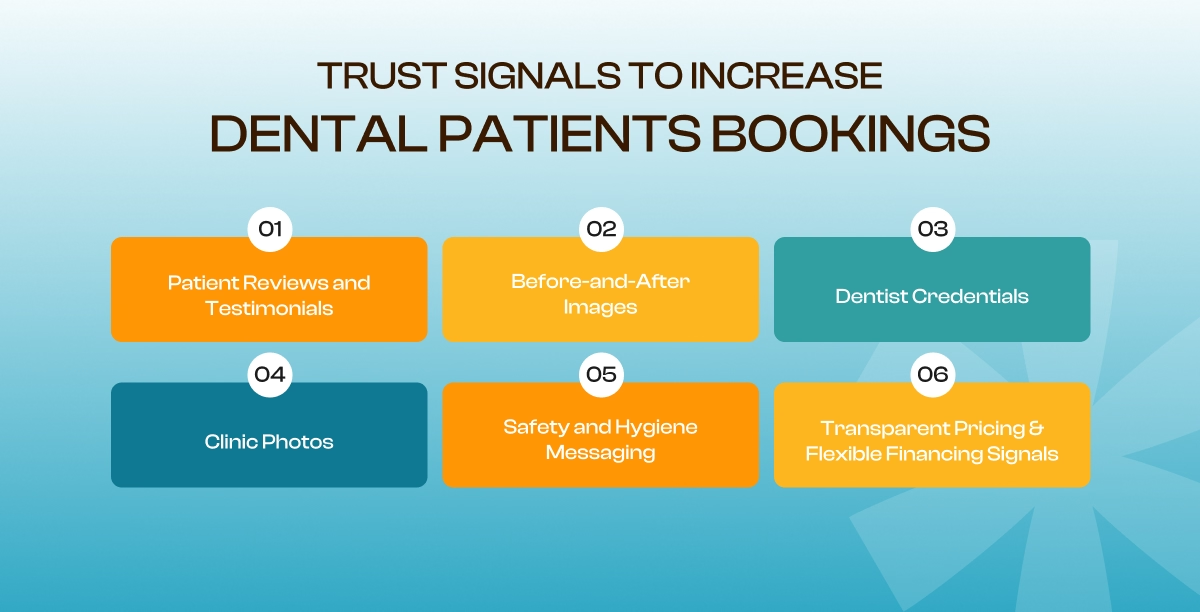
What are the Trust Signals to Increase Dental Patients Bookings
Have a look at some of the most effective trust signals that can increase patient confidence and strengthen your practice’s credibility:
Patient Reviews and Testimonials
Reviews are the strongest trust signals on a dental website. They work as social proof from people who have already experienced your care.
Research even shows that 88% of patients trust online reviews as much as personal recommendations. Better yet, place them near your primary call-to-action on service pages, landing pages, and your homepage.
Strategically positioned 100+ reviews have been shown to increase conversions by up to 40%. Here are some top tricks we always follow:
- Keep your testimonials current, as recent reviews offer more credibility.
- Whenever possible, display live Google Reviews or other verified review feeds instead of static screenshots.
- To have a greater impact, feature reviews that mention specific treatments. This is like emergency dentistry or cosmetic procedures, along with comments about your staff and the patient experience.
Before-and-After Images
If you want to have the most persuasive trust signals for dental websites that ensure real treatment outcomes, check if you have placed before-and-after images on your site.
Studies show that up to 75% of adults experience some level of dental anxiety or fear. One of the biggest concerns is whether a procedure will deliver the results they expect.
So, dedicated galleries with real patient transformations can instantly build trust here. Target proper treatments in this instance and organize them by treatment type.
Also, use high-quality, consistent images taken under similar lighting and angles that show accurate results. Whenever possible, include a brief description explaining the patient’s concern and the treatment that was performed.
Dentist Credentials
Patients want to know they are placing their oral health in qualified hands. For instance, showing dentists’ credentials, education, and professional qualifications works best to build confidence, especially before booking their first appointment.
We don’t just place them on a separate About Us page. Instead, we most often feature key credentials on your homepage, treatment pages, and near your appointment booking CTA.
We always be specific by listing board certifications, dental school education, and residency training.
In case you offer specialized treatments such as:
- Endodontics
- Periodontics
- Orthodontics
- Prosthodontics
- Pediatric dentistry
- Oral and maxillofacial surgery
Ensure you clearly identify the dentists with those qualifications.
Clinic Photos
Real photos of your dental practice build trust in a way that stock images never can. Use high-quality photos of your dental practice on a dedicated page of your website. Target:
- Reception area
- Waiting room
- Treatment rooms
- Sterilization area (where appropriate)
- Dental technology
- Even your dentists and staff
You can place them on the homepage, About page, treatment pages, and contact page to spread trust at every stage of the patient journey.
Safety and Hygiene Messaging
Safety and hygiene are now key factors in a patient’s decision-making process. So don’t bury your safety information on a separate page.
Publish your sterilization standards, PPE protocols, and any OSHA or state board compliance specifics upfront, preferably on the homepage.
If your practice uses advanced technologies such as HEPA air filtration, UV-C sterilization, or other enhanced infection control measures, mention them as additional trust signals.
Transparent Pricing & Flexible Financing Signals
The cost of dental treatment is another trust-building factor that most dental website owners miss. Whenever possible, provide starting prices, price ranges, or “starting from” estimates for common treatments.
Another working trick is adding the payment options your practice offers beyond pricing. Add accepted insurance providers, direct billing (if available), major credit cards, or third-party financing options to build instant trust.
And if you offer 0% interest financing or low monthly payments, ensure you add them near your booking CTA.
Optimize Dental Conversion Rate With SolverDesk Experts
Don’t think that your website’s conversion rate is about just making random design changes. You need to analyze user behavior, identify friction points, and based on that, take action.
After all, you have to go through continuous testing to know what performs effectively for patients to book appointments. So without the right expertise and data, it’s easy to overlook issues that quietly reduce conversions.
At SolverDesk, we help dental practices transform their websites into high-performing patient acquisition channels.
Our team combines years of dental marketing expertise to help you gather opportunities that drive measurable results.
Our conversion optimization process includes:
- Comprehensive website and Core Web Vitals audits
- Google Analytics 4, heatmap, and user behavior analysis
- Landing page and appointment funnel optimization
- Mobile usability and page speed improvements
- Trust signal and credibility enhancements
- A/B testing for CTAs, layouts, and conversion elements
- Ongoing performance tracking based on real conversion data
Ready to turn more website visitors into booked patients? Contact SolverDesk today for a free dental website conversion audit
Frequently Asked Questions
1. What is a good conversion rate for a dental website?
A typical dental website conversion rate ranges between 5% and 15%. But it varies depending on traffic quality, treatment type, and marketing channels. With optimized landing pages and strong trust signals, you can achieve higher conversion rates.
2. How can I measure my dental website’s conversion rate?
You can easily track conversions by dividing completed actions, such as appointment bookings, contact form submissions, or phone calls, by total website visitors. You can use different tools such as Google Analytics 4 (GA4), Google Tag Manager (GTM), and call tracking to get accurate data.
3. Why do visitors leave a dental website without booking?
Patients often leave because of slow page speed and weak call-to-action buttons. The reasons mostly lie in poor mobile usability and confusing navigation. Besides, missing patient reviews or complicated booking forms are also responsible for this.