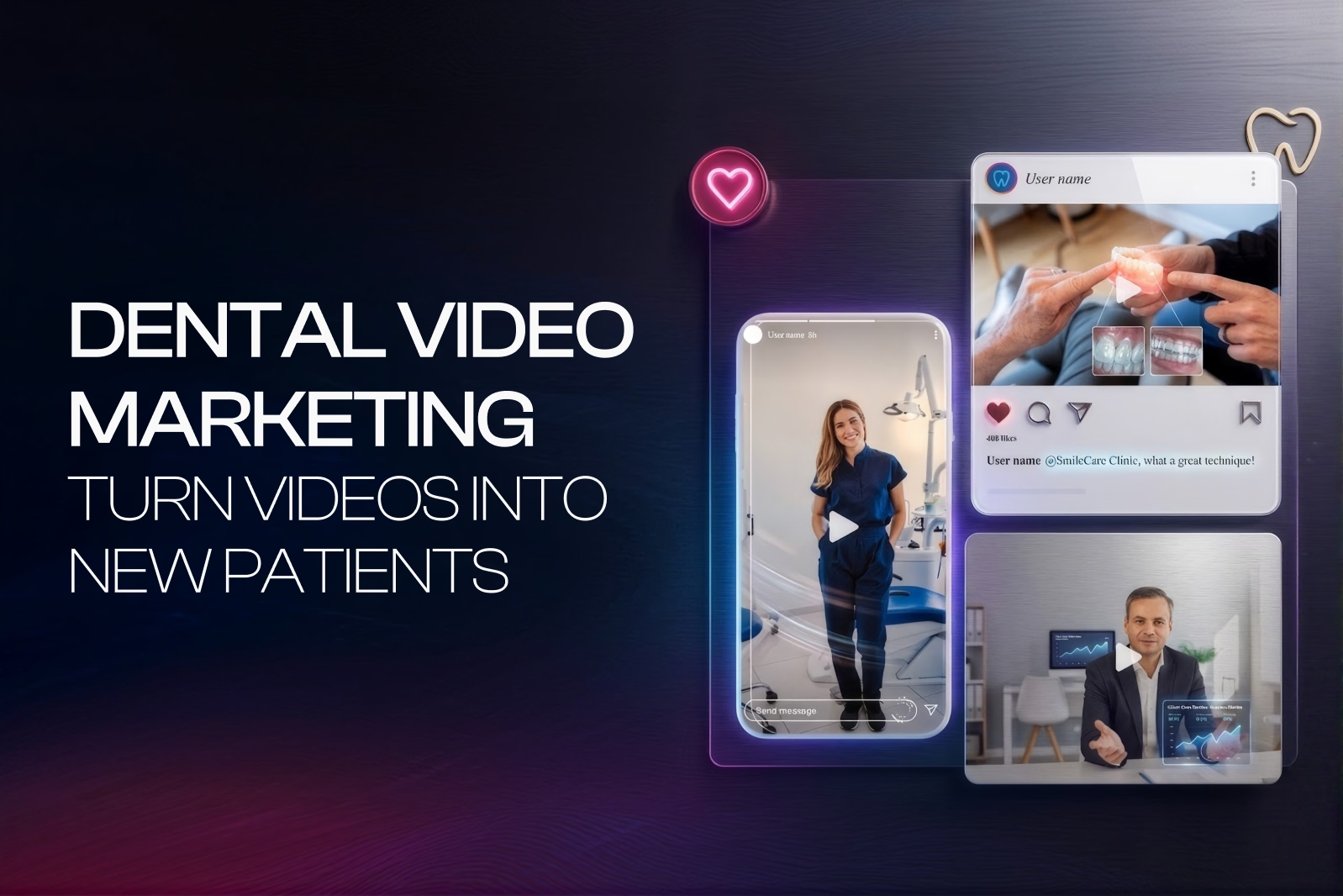
Why Video Marketing is Important for Dental Practices in 2026
Patients now research on video before they ever call. That single shift is why video marketing matters more in 2026 than any year before it.
Patients Trust Video First
Healthgrades’ 2026 data shows provider pages with video get 2.4 times more appointment requests than pages without one. That gap makes sense once you think about it. A video answers the question a phone call can’t: what will this actually feel like?
AI Search Changes Discovery
Patients increasingly ask ChatGPT, Gemini, and Google AI Overviews health questions directly, rather than scrolling through search results themselves. So when your video content answers a question clearly and specifically, it has a real chance of getting pulled into those AI-generated summaries, putting your practice in front of patients earlier than a traditional search ranking ever could.
Authenticity Beats Production Value
Patients respond to a real dentist speaking plainly on camera. That’s because a simple, honest video feels closer to a real conversation, while a heavily scripted brand film feels distant, and distance is exactly what makes a nervous patient hesitate.
Video Shapes the Decision, Not Just Awareness
Most patients don’t just discover a practice through video; they decide through it. Once they’ve watched a real procedure explained honestly, or heard a real doctor talk through what to expect, that video often becomes the reason they choose your practice over the one down the street.
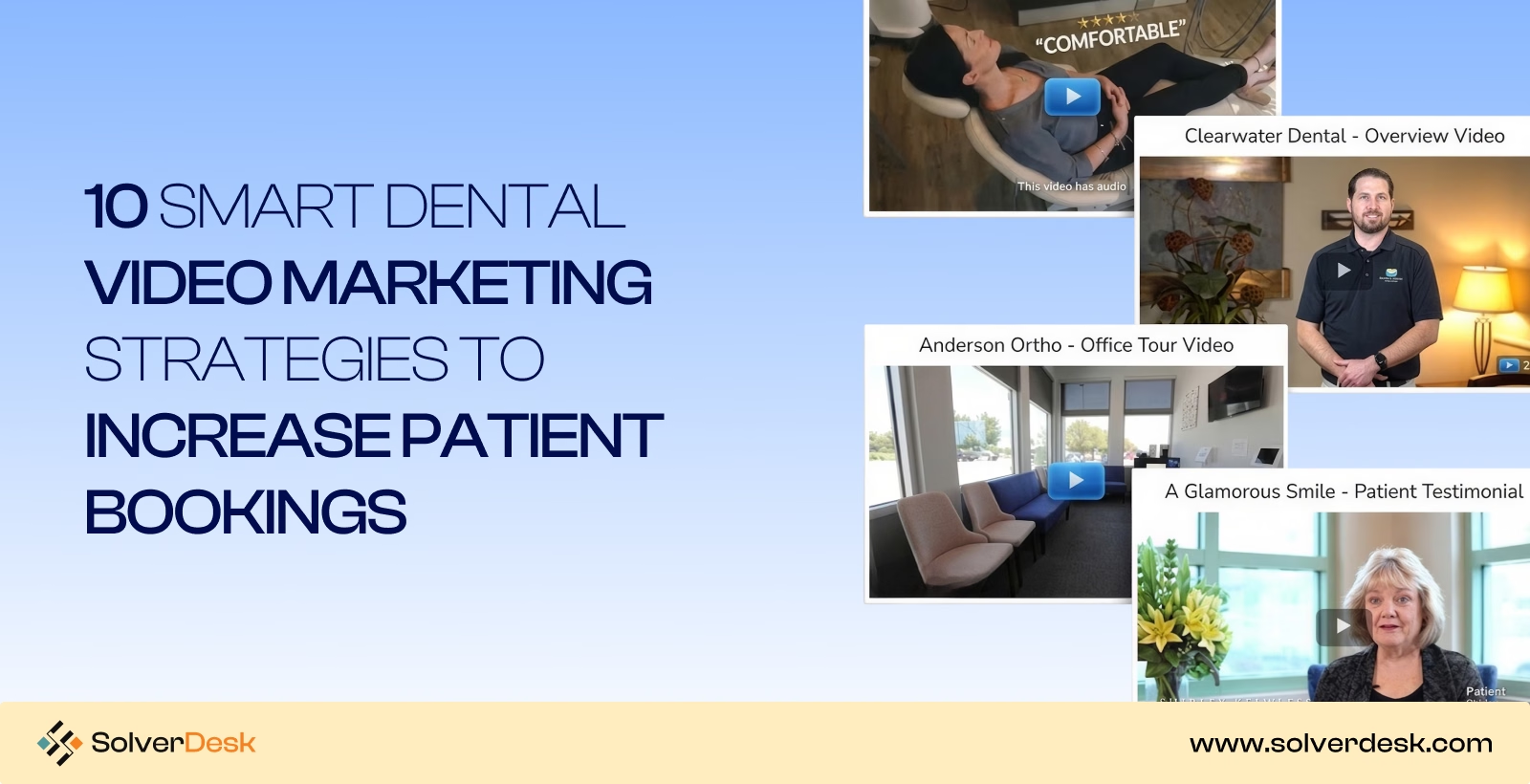
10 Smart Dental Video Marketing Strategies to Increase Patient Bookings
1. Define Your Target Patient Audience
Before you even get started, your first task would be to define the audience for which you will do dental video marketing. Let’s make it easier for you.
Better start with your production mix. Break procedures into three tiers:
- high-value,
- recurring,
- urgent.
i) High-value patients seek implants or Invisalign, and they research heavily before deciding. That’s why they need proof of expertise, like AAID certification or Invisalign Diamond Provider status.
ii) Recurring patients, on the other hand, care less about credentials and more about ease. So give them convenience signals instead, like same-day CEREC crowns or simple online scheduling.
iii) Urgent patients behave differently still. They’re usually in pain, searching on mobile, and need speed above everything else. For them, show emergency hours, walk-in availability, and clear directions to your office.
Once these three groups are defined, layer in location. Pull your top five ZIP codes from CallRail or Weave, then use real neighborhood names in your titles and captions.
Every piece of this comes from your own patient records, which means you’re not guessing who you’re filming for. You already know.
2. Choose the Right Platforms
Once you’ve defined your patient tiers, platform choice becomes simple. You already know where each tier spends time, so stop guessing and put your videos there instead.
YouTube for Long-term SEO
Pew Research found YouTube leads every platform among U.S. adults, even ahead of Facebook and Instagram. That’s exactly where your high-value patients are researching implants and Invisalign right now.
So give them detailed procedure walkthroughs here, optimized with keyword-rich titles and a linked Google Business Profile. This is important because long-form video on YouTube SEO is what earns their trust before they ever call your office.
Instagram for Engagement
Meta confirmed Reels get tested with non-followers first through the Explore page, then expand once they perform. That means your content can reach new patients, not just existing followers.
Since recurring patients scroll here during short breaks, quick tips, Instagram Stories polls, or before-and-after Reels fit naturally. This keeps you visible without ever feeling like a pitch.
Facebook for Local Reach
Pew Research shows usage stays highest among adults 30 and older, which happens to be your core restorative and urgent-care crowd. These patients often ask for recommendations in local Facebook Groups.
So when you post a video covering emergency hours, paired with a Facebook Reviews link and Meta Ads Manager boost, you meet them exactly where they’re already asking.
TikTok for High Discovery
TikTok’s own Newsroom confirms follower count isn’t a ranking factor, which means your brand-new account competes fairly from day one.
Since younger, high-value patients researching veneers scroll here first, an honest patient story, edited in CapCut and tagged with TikTok SEO keywords, works better than a polished ad. That authenticity is exactly what drives discovery on this platform.
3. Create a Monthly Video Content Plan
Now that you’ve matched patients to platforms, turn that into a real posting schedule. Search engines and viewers both reward consistency. A steady rhythm builds trust that random uploads never will.
Here’s a proven four-week structure we’ve run across dozens of dental accounts, built around one theme per week so content stays organized:
| Week | Video Type | Platform | EEAT Focus | Goal |
| 1 | Doctor credential spotlight (AAID, ADA, Invisalign Diamond Provider) | YouTube | Expertise | Authority |
| 2 | Real patient testimonial, named procedure | Instagram, TikTok | Experience | Trust |
| 3 | Procedure walkthrough (CEREC, Invisalign, All-on-4) | YouTube | Authoritativeness | Education |
| 4 | Office update: emergency hours, new equipment, staff intro | Trustworthiness | Local reach |
Batch-film all four videos in one half-day session each month. Busy clinics rarely find four separate filming windows across thirty days, so this approach saves real time. Before filming any testimonial, get a signed HIPAA release from the patient. Skipping this step risks both legal exposure and platform takedowns.
Assign one team member, usually a front desk lead or office manager, to handle posting and captions using Meta Business Suite or Later.
Repurpose each video before moving to the next one, but re-export it natively for each platform.
A YouTube walkthrough trimmed for TikTok needs its watermark removed before it goes on Instagram, since both platforms suppress reach on visibly cross-posted content. This extra export step takes minutes and protects the reach you’re trying to build.
4. Optimize Videos for Search (Video SEO)
Once your monthly plan is filming, optimization decides whether those videos actually get found. Google’s developer documentation confirms that Google reads VideoObject structured data, page titles, and on-page captions to understand what a video covers. Here’s exactly what to do with that:
- Add VideoObject schema to every watch page on your website, including the video title, description, thumbnail URL, and duration.
- Write a keyword-specific title for each video, such as “Same-Day Crowns in Riverside Park,” instead of a generic name like “Our Services.”
- Upload a caption file with every video, since Google indexes caption text as page content, not just video metadata.
- Host each video on its own dedicated page, not buried inside a general services page, so Google can rank that page specifically for the procedure it covers.
5. Diversify Your Video Content Types
Most dental accounts post one format on repeat, usually testimonials, and growth stalls because of it. Google’s ranking systems favor accounts that cover a topic from multiple angles, and patients comparing you against other practices on Yelp or Google Business Profile notice the same pattern.
Once your monthly plan from Step 3 is running, layer in these formats without dropping what’s already working:
| Content Type | What It Actually Does |
| FAQ/myth-busting video | Answers the exact wording patients search, like “does a root canal hurt” or “how long does Invisalign take” |
| Cost and insurance breakdown (PPO, Delta Dental, Cigna) | Shows real numbers upfront, so patients stop calling three other practices before yours |
| Technology explainer (CBCT scan, iTero scanner, laser dentistry) | Names the specific equipment in your office, not a generic claim about “modern technology” |
| Patient journey timeline (consult to final Invisalign or veneer result) | Documents the full six-month arc with real dates, not just a before-and-after photo |
| Live Q&A session on Instagram or YouTube | Lets a real dentist answer unscripted questions on camera, no retakes |
Start with the FAQ video. Your front desk already answers these questions daily, so filming takes an afternoon, and it ranks well because it matches how people actually type their questions into Google.
Add one new format every few weeks instead of launching all five at once. A channel that grows steadily looks like a real practice building a track record of ROI. One that dumps five new formats overnight looks like a test run.
6. Run Paid Video Ads
Organic posting has a ceiling, especially for a new account with no history yet. Once a video from Step 5 crosses 1,000 organic views with strong watch time, put $10-15 a day behind it through Meta Ads Manager, targeting a 5-mile radius.
Paid reach gets your best content in front of patients who never follow you, cutting the months it normally takes to build visibility down to days. Run it when opening a new location, launching an Invisalign promotion, or when a competitor outranks you in Google’s local map pack.
7. Get Signed Releases & Stay HIPAA Compliant
HHS.gov confirms the HIPAA Privacy Rule requires written authorization before using any patient’s protected health information in marketing, with almost no exceptions. This applies to photos, videos, and even background details caught on camera, not just direct testimonials.
Before filming, get a signed release naming the exact use: website, Instagram, or paid ads. A release for one use doesn’t automatically cover another, so be specific.
Store the signed copy in the patient’s chart, not a shared drive or email folder, since that’s where HHS auditors expect to find it.
If the patient is a minor, a parent or legal guardian must sign instead. And if you work with an outside video editor or agency, they count as a business associate under HIPAA, which means they need a signed agreement too, not just a verbal understanding.
Skipping this step isn’t a small risk. HHS’s Office for Civil Rights has enforced settlements against providers who posted patient details online without proper authorization, even when the intent was simply marketing, not malice.
8. Track Performance With Analytics
Once your releases are signed and videos are live, the real work starts. Numbers tell you what to keep filming and what to drop, so build a simple tracking sheet before your next shoot.
| Metric | Where to Find It | Action If It’s Low |
| Watch time under 50% | YouTube Studio → Analytics → Retention tab | Trim the first 3 seconds; open on the answer, not a greeting |
| Click-through rate under 4% | YouTube Studio → Analytics → Reach tab | Swap the thumbnail for a close-up face shot; test for one week |
| Calls generated under 5/month per video | CallRail’s call source report | Add a text overlay with your number in the first 10 seconds |
| Booked consults under 50% of calls | Dentrix or Eaglesoft appointment log | Sit in on 3 front desk calls; the issue is often the script, not the video |
| Cost per booked patient over $150 | Meta Ads Manager → Results column | Pause that ad set; put the budget behind your best organic video instead |
9. Partner With Local Businesses & Community Events
Your analytics from Step 8 show which videos perform. Local partnerships get more people to see them. Here’s exactly how to start:
- Call one nearby pediatrician or orthodontist this week. Offer a simple trade: you refer patients needing their specialty, they refer patients needing yours. Film a 30-second video together explaining the partnership, post it on both practices’ Instagram pages, and tag each other.
- Check your city’s Chamber of Commerce or Facebook events page for the next 5K, school fair, or farmers market. Set up a table, film a 15-second clip of your team there, and post it same-day while it’s still relevant.
- Tag the event organizer’s page when you post. Most local pages repost tagged content, which puts your video in front of their entire following for free.
10. Set a Production Budget & Filming Cadence
Now that partnerships and analytics are running, decide what you can actually sustain long-term. Budget determines cadence, and cadence determines whether your channel grows or stalls after month two.
| Tier | Setup Cost | Per-Session Cost | Output | Best For |
| DIY | Under $500 (smartphone, lavalier mic, tripod, ring light) | Your time only, 2-4 hrs/week | 1-2 videos/week | Solo practices starting out |
| Local Videographer | None | $500-$1,500 per shoot | 3-5 finished videos | Practices needing consistent quality without a full agency |
| Agency/Professional | None | $1,500-$3,500 per shoot day | 5-10 edited videos | Multi-location practices or aggressive growth phases |
Effective Video Content Ideas for Dentists
Every step before this built the system. Here are ready-to-film topics for your calendar:
- “Before and After Smile Transformations”
- “What Happens During a Dental Cleaning?”
- “Top 5 Dental Myths Explained”
- “How to Reduce Dental Anxiety”
- “Meet Our Dental Team”
- “Patient Testimonial: Why I Chose [Practice Name].”
- “Kids’ First Dental Visit Tips for Parents”
- “Invisalign vs Braces: Which is Right for You?”
- “What to Expect Before & After a Root Canal”
How to Build Trust Through Video Content
Build trust with real patients, real equipment, honest procedure details, doctor-led explanations, and verified reviews. Film each one exactly as it happens.
Show Real Patients (With Consent)
Get written consent before filming. Then let the patient state their own name and result on camera, unscripted. Add a text overlay reading “Patient featured with permission” directly in the video itself.
Highlight Cleanliness and Technology
Film your team wiping down the chair, tray, and light handles between patients, narrated in real time. Show the autoclave cycle counter and sterilization pouch dates on screen, since visible dates prove the process happened.
Be Transparent About Procedures
State the real cost range on screen, like “$1,200 to $1,800 depending on insurance.” Mention one honest downside, like temporary sensitivity, since flagging a drawback builds credibility fast.
Use Doctor-led Explanations
Have the doctor hold up an actual X-ray or model while explaining, pointing to the specific area being treated. Film in the real treatment room, so the setting itself confirms the explanation.
Share Genuine Patient Reviews and Stories
Screen-record the actual review on your Google Business Profile before reading it aloud. Let viewers see the five-star rating and reviewer name on screen as you speak.

Partner With SolverDesk to Make High-Impact Dental Video Marketing Strategies
You’ve filmed the videos, planned the calendar, even run a few ads. But views stay flat, calls don’t come in, and you’re left wondering if the whole strategy was worth the time.
That’s the exact problem SolverDesk solves. We’re a growth-focused digital marketing agency specializing in video strategy, SEO, and paid campaigns built specifically for dental practices. We handle the planning, filming guidance, platform optimization, and analytics tracking, so you get patients calling instead of views piling up with nothing behind them.
Ready to stop guessing? Book a free consultation with SolverDesk and let’s build a plan that actually fills your schedule.
Frequently Asked Questions
How long should a dental marketing video be?
Keep social clips under 60 seconds and YouTube videos under 3 minutes for best engagement. Shorter videos hold attention longer, while detailed procedure explainers can run slightly longer if the content stays genuinely useful throughout.
How soon will I see results from video marketing?
Most practices notice increased engagement within 4-6 weeks of consistent posting. Actual booked appointments typically follow by month three, once search rankings improve and your video library builds enough trust with new viewers.
Can I film dental marketing videos with just a smartphone?
Yes, a smartphone with a lavalier mic and basic lighting works well for most content types. Save professional equipment for cornerstone videos like office tours or detailed procedure walkthroughs.